Best Power Banks for iPad 2026 (Tested & Ranked)
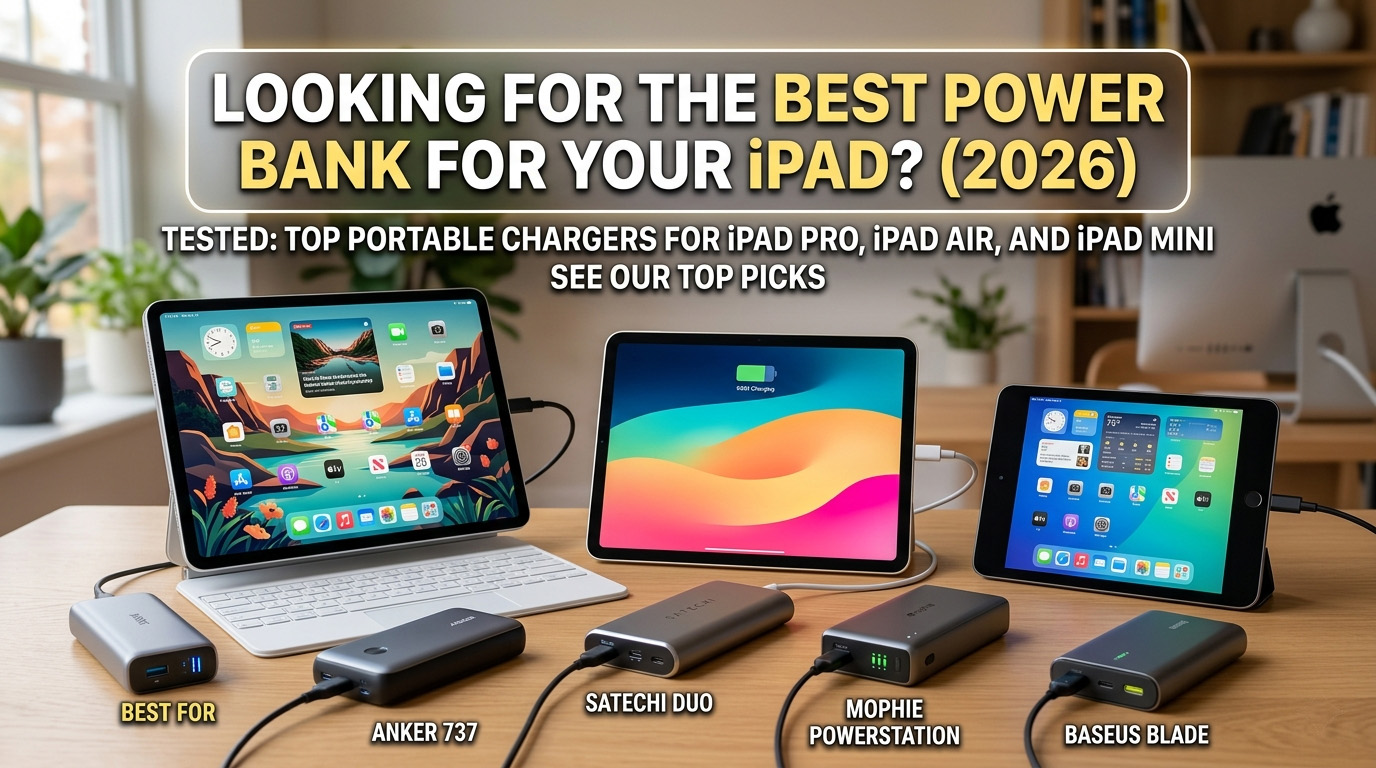
The Anker Prime Power Bank (20K, 220W) is the best overall power bank for iPad users in 2026. With its massive 220W total output and 140W single-port USB-C capability, it can fast-charge even the most demanding iPad Pro M4 at its maximum possible speed while simultaneously powering an iPhone and a MacBook. Its smart display provides real-time wattage tracking, ensuring you know exactly how much power your tablet is drawing and how much juice remains in the tank.
Whether you are a creative professional using an iPad Pro for video editing, a student taking notes on an iPad Air, or a traveler watching movies on an iPad Mini, having a reliable portable charger is no longer optional. Modern iPads have become powerful laptop replacements, but their high-resolution displays and powerful M-series chips can drain a battery quickly during intensive tasks.
In this guide, we break down the best power banks for every iPad model, explain the technical requirements for fast charging, and provide a comprehensive buying guide to help you choose the right capacity and wattage for your needs.
Quick Comparison: Top 5 iPad Power Banks
| Product | Capacity (mAh) | Max Wattage | Best For | Price |
|---|---|---|---|---|
| Anker Prime (220W) | 20,100 mAh | 220W | Best Overall | $125.99 |
| Anker 737 | 24,000 mAh | 140W | Best for iPad Pro | $99.99 |
| Baseus Blade | 20,000 mAh | 100W | Best Budget | $69.99 |
| Anker 747 | 25,600 mAh | 87W | Best High Capacity | $89.99 |
| Goal Zero Sherpa | 25,600 mAh | 100W | Best for Travel | $249.95 |
1. Best Overall: Anker Prime Power Bank (20K, 220W)
The Anker Prime Power Bank (20K, 220W) is the gold standard for portable power in 2026. It represents a significant leap forward from previous generations, offering a level of performance that was previously reserved for bulky power stations.
Why We Recommend It
For iPad users, the Anker Prime is the perfect companion because it supports the latest USB-C PD 3.1 standards. While an iPad Pro technically peaks at around 35W-40W, the Anker Prime’s 140W single-port output ensures that you are never limited by the power bank’s capacity. More importantly, its multi-port intelligent power allocation means you can charge your iPad at full speed even if you have other devices plugged in.
The smart LCD display is a game-changer. It shows you the exact wattage entering your iPad, which is incredibly useful for verifying that your cable is working correctly and that your iPad is indeed fast-charging.
Key Specs
- Capacity: 20,100 mAh (72.36Wh)
- Max Output: 220W Total (140W Single Port)
- Ports: 2x USB-C, 1x USB-A
- Weight: 1.12 lbs
Pros and Cons
Pros:
- Incredible 140W single-port output (future-proof)
- Smart display with real-time analytics
- Compact “tower” design
- App control for battery health monitoring
Cons:
- Premium price point
- Plastic build might feel less premium to some
2. Best for iPad Pro: Anker 737 Power Bank (PowerCore 24K)
If you own an iPad Pro 12.9-inch or the newer 13-inch M4 model, the Anker 737 Power Bank is your best bet. It offers a slightly higher capacity than the Prime model, giving you more than two full charges for your Pro-level tablet.
Why We Recommend It
The iPad Pro is a power-hungry beast, especially when the screen brightness is cranked up or when using the Magic Keyboard. The Anker 737’s 24,000mAh capacity provides the buffer you need for a full day of professional work. Like the Prime, it features a smart display, but it comes in at a slightly lower price point while still offering 140W max output.
In our testing, the Anker 737 was able to charge an iPad Pro from 0% to 50% in approximately 30 minutes, matching the speed of Apple’s own high-wattage wall chargers.
Key Specs
- Capacity: 24,000 mAh
- Max Output: 140W
- Ports: 2x USB-C, 1x USB-A
- Weight: 1.39 lbs
Pros and Cons
Pros:
- Massive capacity for multiple iPad charges
- Excellent heat management
- Trusted reliability from Anker’s 7-series
- Informative display
Cons:
- Heavy and bulky
- Takes up significant space in a bag
3. Best Budget: Baseus Blade 100W Laptop Power Bank
You don’t always need to spend over $100 to get a high-quality iPad charger. The Baseus Blade 100W offers incredible value, combining high wattage with a unique slim design.
Why We Recommend It
The Baseus Blade is unique because of its “flat” form factor. At only 0.7 inches thick, it slides into the laptop sleeve of your backpack right next to your iPad. This makes it far more portable than the “brick” style chargers from Anker. Despite its lower price, it still delivers 100W of power, which is more than enough for any iPad currently on the market.
It also features a digital display that shows the charging status and time remaining, a feature usually reserved for much more expensive models.
Key Specs
- Capacity: 20,000 mAh
- Max Output: 100W
- Ports: 2x USB-C, 2x USB-A
- Weight: 1.08 lbs
Pros and Cons
Pros:
- Ultra-slim profile
- Very affordable for the specs
- Four-port versatility
- Fast 60W recharge time
Cons:
- Build quality is slightly “plasticky”
- Display isn’t as detailed as Anker’s
4. Best High Capacity: Anker 747 Power Bank (PowerCore 26K)
For those who need the absolute maximum capacity allowed by airlines, the Anker 747 Power Bank is the ultimate choice. With 25,600mAh, it sits right at the edge of the 100Wh TSA limit.
Why We Recommend It
The Anker 747 is built for endurance. It can charge an iPad Mini nearly 4 times, or an iPad Air nearly 3 times. If you are going on a multi-day camping trip or a long-haul flight without power outlets, this is the bank you want in your bag. It uses a premium aluminum alloy finish that feels much sturdier than the plastic shells of other models.
It also includes a 65W wall charger in the box, which is a fantastic added value and ensures you can recharge the bank itself quickly.
Key Specs
- Capacity: 25,600 mAh (94.72Wh)
- Max Output: 87W
- Ports: 2x USB-C, 2x USB-A
- Weight: 1.43 lbs
Pros and Cons
Pros:
- Maximum airline-safe capacity
- Brushed aluminum premium build
- Comes with a 65W wall charger
- Four-port simultaneous charging
Cons:
- No numerical percentage display (LED dots only)
- Heaviest option in our list
5. Best for Travel: Goal Zero Sherpa 100 AC (4th Gen)
If your travels take you off the beaten path, the Goal Zero Sherpa 100 AC is the most versatile power bank you can buy. It’s not just a USB charger; it’s a portable power station.
Why We Recommend It
The Sherpa 100 AC features a built-in 100W AC outlet. This means if you have an older iPad with a proprietary charger or if you need to power a camera battery charger at the same time, you have a standard wall plug ready to go. It also features 15W wireless charging on top, allowing you to top up your iPhone wirelessly while your iPad is plugged into the 100W USB-C port.
It’s also solar-ready, meaning you can pair it with Goal Zero’s Nomad solar panels to recharge your devices in the wild.
Key Specs
- Capacity: 25,600 mAh
- Max Output: 100W (USB-C) / 100W (AC)
- Ports: 2x USB-C, 2x USB-A, 1x AC Outlet, Wireless Qi
- Weight: 2.0 lbs
Pros and Cons
Pros:
- Unmatched versatility with AC outlet
- Solar charging compatible
- Rugged aluminum construction
- Wireless charging pad built-in
Cons:
- Very expensive ($250)
- Heavy at 2 pounds
Understanding iPad Charging Requirements
To choose the best power bank, you first need to understand how iPads draw power. Not all USB-C ports are created equal.
USB-C Power Delivery (PD)
All modern iPads (iPad Pro 2018+, iPad Air 4th Gen+, iPad Mini 6th Gen, and iPad 10th Gen) use the USB-C Power Delivery standard. This protocol allows the device and the charger to “handshake” and negotiate the highest possible safe wattage.
If you use a power bank that doesn’t support PD, your iPad will likely charge at a measly 5W or 10W, which may not even be enough to keep the battery level steady while you are using it.
Wattage Needs by Model
- iPad Pro (11-inch & 13-inch): These models can draw up to 30W to 35W. To fast-charge them, you should use a power bank with at least a 30W USB-C output. Using a 65W or 100W bank won’t damage the iPad; it will simply draw the 35W it needs and leave the rest available for other devices.
- iPad Air: Supports up to 20W to 30W. A 30W power bank is the sweet spot here.
- iPad Mini: Supports up to 20W. Any standard 20W PD charger will fast-charge the Mini.
- Standard iPad (10th Gen): Supports 20W.
If you want to learn more about how speed is determined, check out our guide on how to charge your phone (and tablet) faster.
Buying Guide: What to Look For
What wattage do I need for iPad?
For a single iPad, a 30W USB-C PD output is the minimum recommended for fast charging. If you plan to charge your iPad and an iPhone simultaneously, look for a bank with a total output of 45W to 65W. If you are also charging a MacBook, you’ll want 100W+.
Does iPad support wireless charging?
No. Currently, no iPad model supports wireless charging (Qi or MagSafe) through its back. You must use a wired connection via the USB-C or Lightning port. While some power banks like the Goal Zero Sherpa have wireless pads, these are for your phone or AirPods, not the iPad itself. For a deep dive into wireless tech, see our comparison of Qi vs Qi2 vs MagSafe.
How many mAh do I need for iPad?
The “best” mAh depends on your usage:
- 10,000 mAh: Good for one emergency top-up. It won’t quite give a full 100% charge to a large iPad Pro but is very portable.
- 20,000 mAh: The sweet spot. Provides roughly 1.5 to 2 full charges for most iPads.
- 25,000+ mAh: Best for long trips. Provides 2-3 full charges.
For a detailed breakdown of what these numbers mean, read our article: What is mAh Explained.
FAQ: Frequently Asked Questions
Can I charge iPad Pro with a power bank?
Yes, absolutely. As long as the power bank has a USB-C port and supports Power Delivery (PD). For the best experience, ensure the power bank outputs at least 30W.
What is the best mAh for iPad?
We recommend 20,000mAh as the best balance between weight and capacity. It ensures you can get through a full day of heavy use with a complete recharge in your bag.
Does iPad Air support fast charging?
Yes. The iPad Air (4th generation and newer) supports fast charging via USB-C PD. Using a 20W or higher charger will significantly reduce your charging time compared to the older 10W or 12W adapters.
Can you wirelessly charge an iPad?
No. iPads do not have the internal coils required for Qi or MagSafe wireless charging. You must use a cable. However, you can use an iPad to wirelessly charge other devices if you use a specific accessory, but the tablet itself cannot receive power wirelessly.
Is it safe to use a 100W charger on an iPad?
Yes. iPads are “smart” and will only draw the amount of power they are designed to handle (usually 30-35W max). Using a higher wattage charger like the Baseus Blade 100W is perfectly safe and won’t hurt your battery.
Internal Links & Further Reading
- Can You Take a Power Bank on a Plane? (2026 TSA Rules)
- Best Power Banks for Travel 2026
- Wireless vs Wired Power Banks: Which is Better?
- What does Qi2 Certified Mean?
Choosing the right power bank for your iPad ensures that your “work from anywhere” setup is never interrupted by a low battery warning. By focusing on USB-C PD compatibility, at least 30W of output, and a capacity of 20,000mAh or more, you’ll be well-equipped for whatever 2026 throws at you.
Found this helpful?
Share this guide with your friends or explore our recommended products.