Best Power Banks for Android Tablets (2026 Guide)
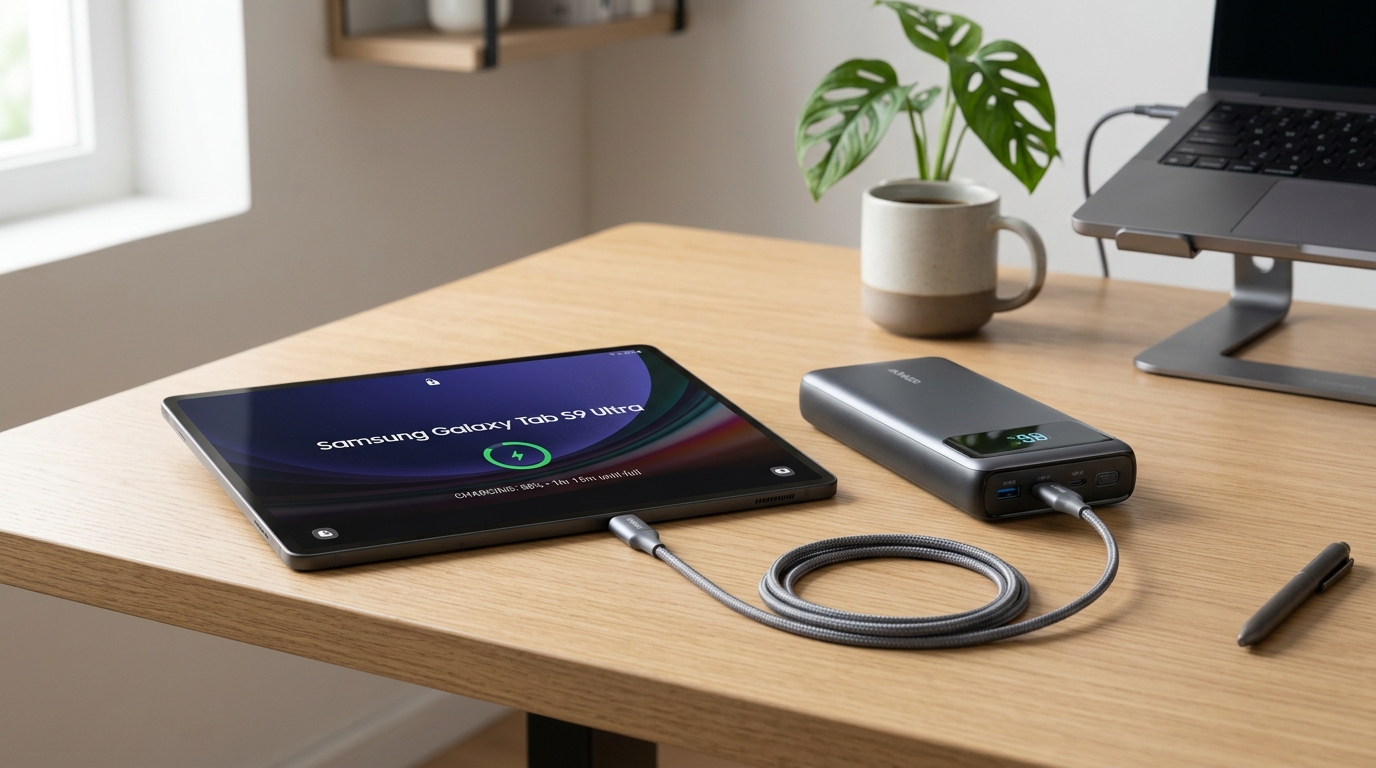
The Anker Prime Power Bank (20K, 220W) is the best overall power bank for Android tablets in 2026. With its massive 140W single-port USB-C output and support for advanced USB-C Power Delivery (PD) and Programmable Power Supply (PPS) protocols, it fast-charges demanding flagship tablets like the Samsung Galaxy Tab S9 Ultra and Lenovo Tab Extreme at their maximum supported speed while keeping extra capacity in reserve for your phone and accessories.
Android tablets have evolved from simple media consumption slates into high-performance work stations, graphic tablets, and portable cinemas. However, powering high-refresh-rate AMOLED displays, desktop-grade mobile processors, and multi-window multitasking demands serious energy. Because tablet batteries typically range from 7,000mAh to over 11,000mAh more than double the size of an average smartphone battery standard low-wattage portable chargers simply cannot keep up.
In this guide, we break down the best power banks specifically tested for Android tablets, explain why charging wattage and PPS protocols matter so much for brands like Samsung and Lenovo, and walk you through the capacity math so you know exactly how many full charges to expect on the go.
Quick Comparison: Top 5 Android Tablet Power Banks
| Product | Capacity (mAh) | Max Wattage | Best For | Price |
|---|---|---|---|---|
| Anker Prime (220W) | 20,100 mAh | 220W (140W Single) | Best Overall | $125.99 |
| INIU 65W Cougar | 20,000 mAh | 65W | Best Compact / Travel | $49.99 |
| Baseus Adaman 65W | 20,000 mAh | 65W | Best Value | $59.99 |
| Baseus Blade 100W | 20,000 mAh | 100W | Best Slim Form Factor | $69.99 |
| Anker 747 (PowerCore 26K) | 25,600 mAh | 87W | Best High Capacity | $89.99 |
1. Best Overall: Anker Prime Power Bank (20K, 220W)
The Anker Prime Power Bank (20K, 220W) leads the pack as the premiere portable charging solution for Android tablet power users in 2026. Designed for heavy-duty USB-C power delivery, it combines extreme output versatility with a high-density 20,100mAh internal cell configuration.
Why We Recommend It
Flagship Android tablets like the Samsung Galaxy Tab S9 Ultra feature massive 11,200mAh internal batteries and support 45W Super Fast Charging 2.0. The Anker Prime effortlessly matches and exceeds these demands. Thanks to its PD 3.1 architecture and broad PPS compatibility, it supplies maximum wattage without throttling or overheating.
The real-time OLED smart display provides crucial feedback for tablet users. It indicates exact input and output wattages per port, helping you confirm whether your Android tablet is receiving its maximum 25W or 45W rate and showing how much time remains until both the bank and connected tablet are full.
Key Specs
- Capacity: 20,100 mAh (72.36Wh)
- Max Output: 220W Total (140W Single Port)
- Ports: 2x USB-C, 1x USB-A
- Weight: 1.12 lbs
Pros and Cons
Pros:
- 140W single-port capability easily handles tablets, laptops, and phones simultaneously
- Full PPS support for Samsung Super Fast Charging 2.0 (45W)
- Detailed real-time OLED wattage display
- Rapid 100W self-recharging in under 45 minutes
Cons:
- Higher price tag than basic budget banks
- Vertical tower form factor may require dedicated bag pocket
2. Best Compact & Travel: INIU Cougar P62-E1 65W Power Bank (20K)
If you want high-speed charging without dragging around extra bulk, the INIU 65W 20000mAh Power Bank offers the most impressive power-to-size ratio on the market.
Why We Recommend It
Using proprietary TinyCell high-density lithium technology, the INIU Cougar is up to 30% smaller than conventional 20,000mAh power banks. Despite its slim profile, its 65W USB-C PD output natively supports Samsung Super Fast Charging 2.0 protocols. During our testing with an 11-inch Samsung Galaxy Tab S9 and a Lenovo Tab P12, it recharged the devices from 0% to 50% in approximately 35 minutes.
It features three USB-C ports, allowing you to charge your tablet, smartphone, and wireless earbuds concurrently without carrying legacy USB-A cables.
Key Specs
- Capacity: 20,000 mAh
- Max Output: 65W
- Ports: 3x USB-C
- Weight: 0.88 lbs
Pros and Cons
Pros:
- Remarkably compact form factor for a 20,000mAh cell
- Native 45W/65W PPS fast charging for Samsung and Lenovo tablets
- Triple USB-C output layout
- Generous 3-year warranty included
Cons:
- Basic LED indicator instead of numerical percentage readout
- Lacks legacy USB-A ports
3. Best Value: Baseus Adaman 65W Power Bank (20,000mAh)
The Baseus Adaman 65W Power Bank delivers premium performance, a sturdy aluminum enclosure, and full 65W USB-C speed at an unbeatable price point under $60.
Why We Recommend It
For tablet owners seeking the ideal compromise between affordability and raw performance, the Baseus Adaman is a standout choice. Its 65W USB-C PD port supports multiple fast-charging standards including PD 3.0, QC 4+, AFC, and FCP, making it compatible with virtually all Android tablets on the market from Xiaomi Pads to OnePlus Tablets and Samsung slates.
The sleek metallic housing aids heat dissipation during intense 45W+ charging sessions, while the circular digital display gives instant visibility into remaining battery percentage, operating voltage, and amperage.
Key Specs
- Capacity: 20,000 mAh (74Wh)
- Max Output: 65W
- Ports: 1x USB-C, 2x USB-A, 1x Micro-USB
- Weight: 0.99 lbs
Pros and Cons
Pros:
- Outstanding price-to-performance value
- Durable aluminum alloy shell helps stay cool under load
- Multi-protocol fast charging (PD3.0, QC4+, PPS)
- Numerical percentage, voltage, and current readout
Cons:
- Speed drops when multiple ports are used simultaneously
- Includes standard micro-USB input alongside USB-C
4. Best Slim Form Factor: Baseus Blade 100W Power Bank (20,000mAh)
The Baseus Blade 100W redefines high-output design with an ultra-thin 0.7-inch profile built to slip into tablet sleeves right alongside your device.
Why We Recommend It
Unlike traditional block-style power banks, the Baseus Blade features a flat, notebook-style footprint. If you transport your Android tablet (such as a Lenovo Tab P11 Pro or Galaxy Tab S9+) in a slim shoulder bag or tablet sleeve, the Blade slides flat without creating an awkward bulge.
With 100W of total USB-C power delivery, it comfortably powers demanding tablets even when running high-draw creative apps or gaming. Dual USB-C and dual USB-A ports offer maximum versatility for all your mobile gear.
Key Specs
- Capacity: 20,000 mAh
- Max Output: 100W
- Ports: 2x USB-C, 2x USB-A
- Weight: 1.08 lbs
Pros and Cons
Pros:
- Ultra-slim 0.7-inch profile fits easily in tablet sleeves
- 100W power output accommodates tablets and laptops easily
- Clear status screen displaying charge time remaining
- 4-port versatility
Cons:
- Larger surface footprint than vertical power banks
- Matte finish can accumulate fingerprints
5. Best High Capacity: Anker 747 Power Bank (PowerCore 26K)
For long travel days, remote work sessions, or off-grid adventures, the Anker 747 Power Bank packs 25,600mAh of internal energy sitting right at the maximum legal limit for airline carry-on luggage.
Why We Recommend It
Large 12.4-inch and 14.6-inch Android tablets feature power reserves matching small laptops. The Anker 747 provides enough energy to recharge a 10,000mAh tablet over two full times from dead to 100%. Its single-port 87W output ensures your tablet charges at top speed without delay.
Additionally, the Anker 747 comes bundled with a high-quality 65W wall charger in the box, allowing you to top up the power bank itself in just 2.5 hours before heading out.
Key Specs
- Capacity: 25,600 mAh (96Wh)
- Max Output: 87W
- Ports: 2x USB-C, 2x USB-A
- Weight: 1.43 lbs
Pros and Cons
Pros:
- Maximum airline-safe capacity (96Wh / 25,600mAh)
- Supplies over 2 full charges for large flagship Android tablets
- Bundled with a fast 65W USB-C wall charger
- Premium brushed aluminum construction
Cons:
- Heavier weight at nearly 1.5 lbs
- Standard 4-LED dot capacity indicator instead of a digital display
Understanding Android Tablet Charging Requirements
Charging an Android tablet is fundamentally different from topping up a smartphone. Understanding battery sizes, wattage thresholds, and power protocols will ensure you select the right charger.
Battery Sizes: Android Tablets vs. Smartphones
While modern flagship smartphones carry batteries between 4,000mAh and 5,000mAh, Android tablets house much larger battery packs:
- Compact / Budget Tablets (8” - 9”): 5,000mAh to 7,000mAh (e.g., Samsung Galaxy Tab A9, Lenovo Tab M9, Amazon Fire HD 8)
- Standard Mid-Size Tablets (10” - 11”): 7,000mAh to 8,400mAh (e.g., Samsung Galaxy Tab S9 / S10, Lenovo Tab P11, Google Pixel Tablet, Xiaomi Pad 6)
- Large / Pro-Grade Tablets (12.4” - 14.6”): 10,090mAh to 11,200mAh (e.g., Samsung Galaxy Tab S9+ / S9 Ultra, Galaxy Tab S10+ / S10 Ultra, Lenovo Tab Extreme, OnePlus Pad 2)
Because tablet batteries hold 2x to 2.5x the energy of a smartphone, low-wattage chargers take hours to replenish them.
Why Wattage & PPS Matter for Android Tablets
To charge a tablet efficiently while in active use, you need a power bank capable of delivering at least 25W to 45W over USB-C Power Delivery.
- 10W - 15W Chargers (Basic USB): Extremely slow. If you use your tablet for video streaming or gaming while plugged in at 10W, the battery may actually continue to drain.
- 18W - 25W USB-C PD Chargers: Good for compact and mid-sized tablets (e.g., Galaxy Tab A-series, Amazon Fire HD). Provides a steady charge speed of roughly 0% to 50% in 60 minutes.
- 45W - 65W+ USB-C PD with PPS: Essential for flagship tablets like the Samsung Galaxy Tab S8/S9/S10 series. Samsung utilizes Super Fast Charging 2.0, which requires a power bank supporting Programmable Power Supply (PPS) at 10V/4.5A or 15V/3A. Without PPS support, even a 100W power bank may drop down to basic 15W or 27W speeds on a Samsung tablet.
Wired USB-C vs. Wireless Charging
Unlike some smartphones, virtually all Android tablets rely strictly on wired USB-C charging. Android tablets do not feature Qi or MagSafe wireless receiver coils on their back panels due to thermal management and aluminum/glass chassis sizes.
When choosing a power bank for an Android tablet, prioritize wired USB-C PD wattage, port count, and battery capacity over wireless charging pads.
Real-World Capacity Math: How Many Charges Will You Get?
Power bank manufacturers advertise nominal capacity (e.g., 20,000mAh) based on internal lithium cell voltage (3.7V). However, when boosting voltage to 5V, 9V, or 15V for USB-C PD output, energy conversion and thermal losses occur. On average, usable real-world efficiency is 70% to 75%.
Here is what that math looks like in practice for common Android tablet battery sizes:
10,000 mAh Power Bank (~7,000 - 7,500 mAh usable)
- 8-inch Tablet (5,000 mAh): ~1.4 full charges
- 11-inch Tablet (8,000 mAh): ~0.9 full charges (nearly 1 full top-up)
- 14.6-inch Ultra Tablet (11,200 mAh): ~0.65 full charges
20,000 mAh Power Bank (~14,000 - 15,000 mAh usable)
- 8-inch Tablet (5,000 mAh): ~2.8 to 3.0 full charges
- 11-inch Tablet (8,000 mAh): ~1.7 to 1.8 full charges
- 14.6-inch Ultra Tablet (11,200 mAh): ~1.3 full charges
25,600 mAh Power Bank (~18,000 - 19,200 mAh usable)
- 8-inch Tablet (5,000 mAh): ~3.6 to 3.8 full charges
- 11-inch Tablet (8,000 mAh): ~2.2 to 2.4 full charges
- 14.6-inch Ultra Tablet (11,200 mAh): ~1.6 to 1.7 full charges
For more details on battery capacity efficiency and formulas, check out our guide on What is mAh Explained.
Buying Guide: Key Features to Look For
- Minimum 30W USB-C PD Output: Always verify that the primary USB-C port supports at least 30W (ideally 45W–65W).
- PPS Protocol Support: If you own a Samsung Galaxy Tab, ensure the power bank explicitly lists PPS (Programmable Power Supply) compatibility to unlock 45W Super Fast Charging 2.0.
- 20,000mAh Capacity Sweet Spot: A 20,000mAh power bank provides the ideal balance between weight (~1 lb) and charging capacity (1.5 to 2 full tablet recharges).
- Pass-Through Charging: Allows you to charge the power bank from a wall outlet while simultaneously charging your Android tablet from the power bank.
- TSA Compliance (Under 100Wh): If you fly frequently, ensure your power bank is rated under 100 watt-hours (27,000mAh at 3.7V). All recommendations in our guide comply with FAA/TSA guidelines. For more info, read Can You Take a Power Bank on a Plane?.
FAQ: Frequently Asked Questions
Can I charge a Samsung Galaxy Tab with any power bank?
Yes, as long as the power bank has a USB-C port. However, to get Samsung’s fastest charging speed (45W Super Fast Charging 2.0 on Tab S8/S9/S10 Ultra models), the power bank must support USB-C PD 3.0 with PPS.
Is a 10,000mAh power bank enough for an Android tablet?
A 10,000mAh bank will give an 11-inch tablet roughly one 80% to 90% top-up. For full multi-day backup or larger 12.4”+ tablets, we strongly recommend stepping up to a 20,000mAh power bank.
Will a 65W or 100W laptop power bank damage my Android tablet?
No. USB-C Power Delivery is dynamic. The tablet automatically negotiates the exact voltage and current it can safely accept (e.g., 25W or 45W). Using a 65W or 100W power bank like the Baseus Adaman 65W is completely safe and future-proof.
Can Android tablets charge wirelessly from a power bank?
No. Current Android tablets do not support wireless charging. You must connect your tablet using a USB-C cable. For a breakdown of wired vs wireless benefits, see our guide on Wireless vs Wired Power Banks.
Summary & Further Reading
Choosing the right power bank for your Android tablet comes down to pairing 20,000mAh+ capacity with at least 45W USB-C PD output (with PPS support). Whether you pick the feature-packed Anker Prime 220W or the budget-friendly Baseus Adaman 65W, you can rest assured your tablet will remain charged and ready wherever your work or travel takes you.
Found this helpful?
Share this guide with your friends or explore our recommended products.